
The feature your website is missing, built to fit and yours to keep.
Bookings and payments, trade areas, calculators, maps and integrations: the things off-the-shelf plugins get most of the way, then charge you for monthly. Built to fit from £1,800, scoped in writing first and owned outright.
Bespoke builds from £1,800 Monthly fee: none, ever Bug fixes: six months included Fixed price, in writing, before any code is written.


- Yours to keep: no monthly fee, no licence to renew.
- Built to WordPress standards, so the next update doesn’t break it.
- Documented so any developer could pick it up.
A real piece of software, not a setting someone switched on.
Every plugin project covers the same six things from start to finish. No subcontracting, no mystery database tables, no “here is the zip, good luck”.
Most WordPress sites are four-fifths off the shelf, and rightly so. It is the last fifth, the part that’s only true of your business, that deserves to be yours.
A one-page scope
What the plugin must do, what it could do later and what it will not do, with the screens and the workflow written down. It is the conversation that turns “something like that calculator” into a fixed quote.
The data, done properly
Custom tables where they make sense, WordPress content types where they do not, built to cope with your real volume of data rather than a demo.
Admin screens that feel like WordPress
Menus, lists, edit screens and settings that work the way the rest of your dashboard does, so your team manages the plugin without learning anything new.
A front end that matches your site
Shortcodes, blocks or template parts, whichever fits your theme, designed to look like part of the site rather than a widget bolted on top.
Documentation and handover
A README another developer could read cold, a short guide for the people who use it every day, and a video walk-through if there’s any depth to it.
Six months of bug fixes
Anything that breaks because of the plugin in the first six months, including after a WordPress or WooCommerce update, is on me. After that, fixes are part of any care plan or quoted as small jobs.
Four very different jobs, all in daily use.
Dining bookings for two Masonic lodges, a trade area and stock system for a raw dog food brand, a store finder for a 39-store convenience chain and a map for a housing lender. All built once, all owned outright.
St Audrey and Ephraimites lodges
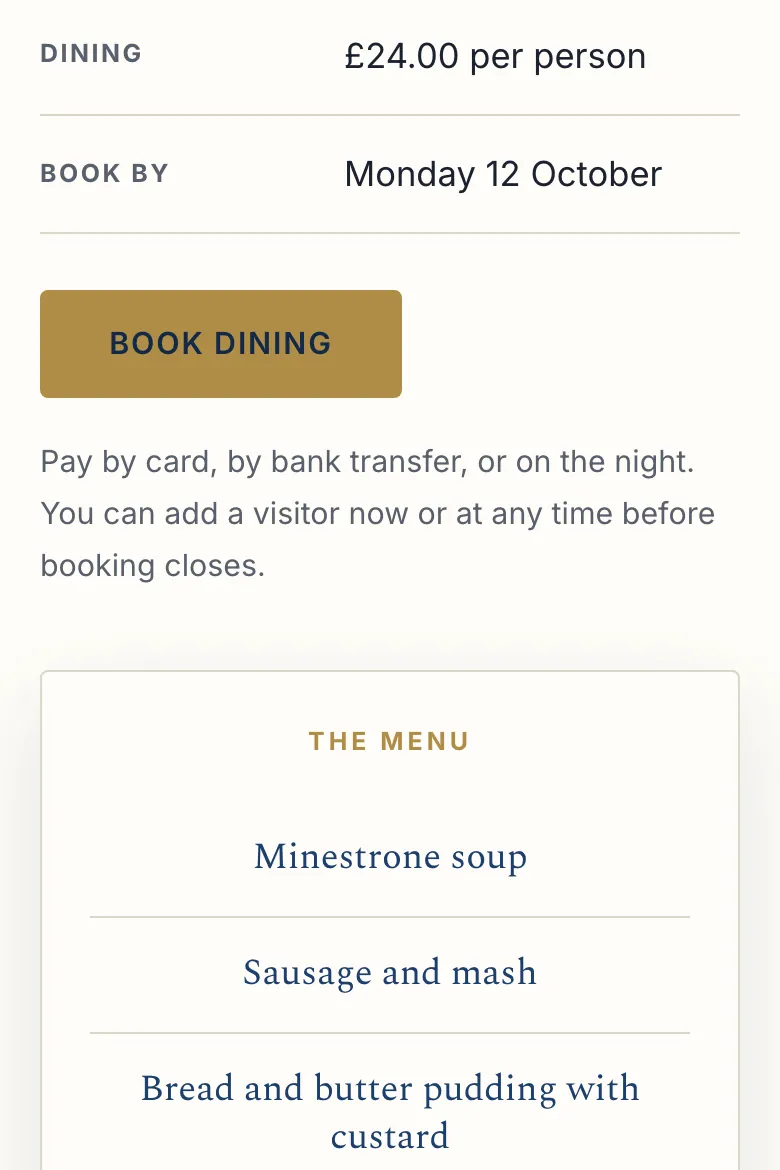
Bookings and paymentsDining bookings for two Masonic lodges. Members book from one form, visitors can be added later from a link in the confirmation email, apologies have a form of their own, and the dining list builds itself, feeding a Google Sheet at Ephraimites. St Audrey never asks anyone to log in, and takes payment by card, by bank transfer or on the night.
St Audrey Lodge (opens in a new tab) Ephraimites Lodge (opens in a new tab)


Betsy’s Raw Food
Four plugins in one shopA trade customer area with its own prices, a feeding calculator, a nudge when a trade customer is due to reorder, and live freezer stock that allows for what is already in baskets. All alongside WooCommerce without fighting it.
Visit the shop (opens in a new tab)


James Retail
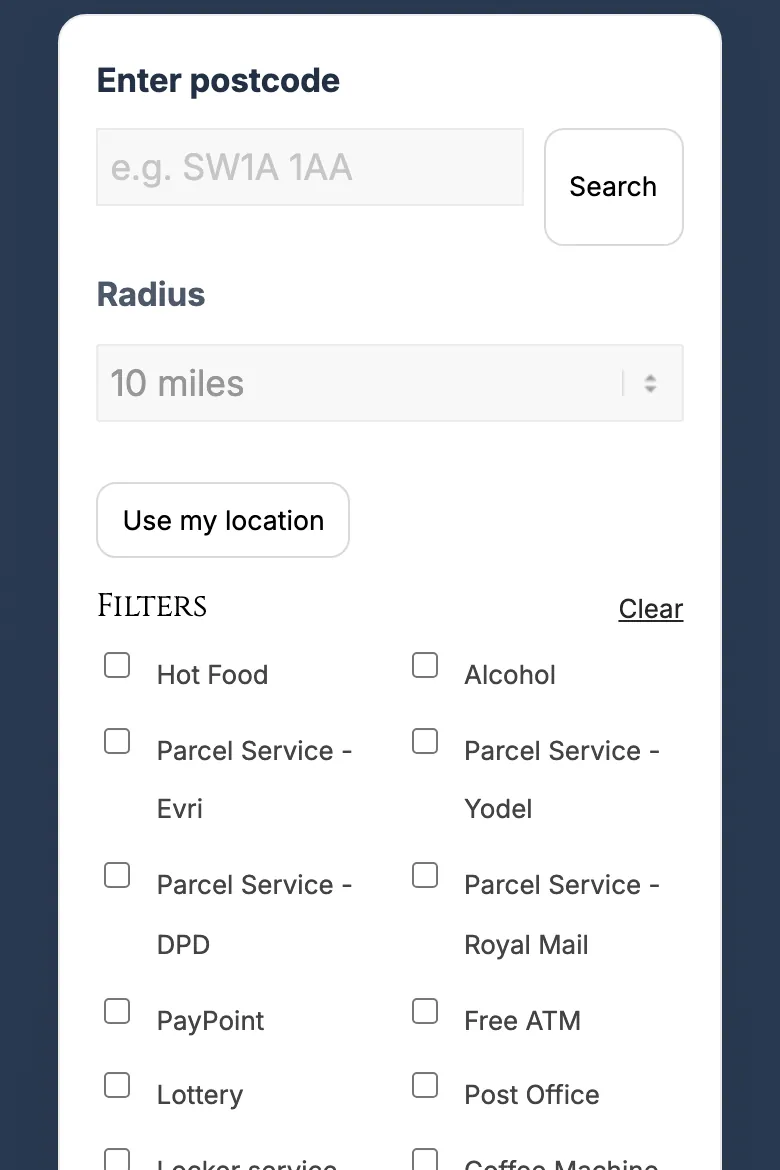
Store locatorAn interactive map of every store with filters, postcode search and a page per shop: the “where can I buy this?” answer for a 39-store convenience chain.
Visit the store finder (opens in a new tab)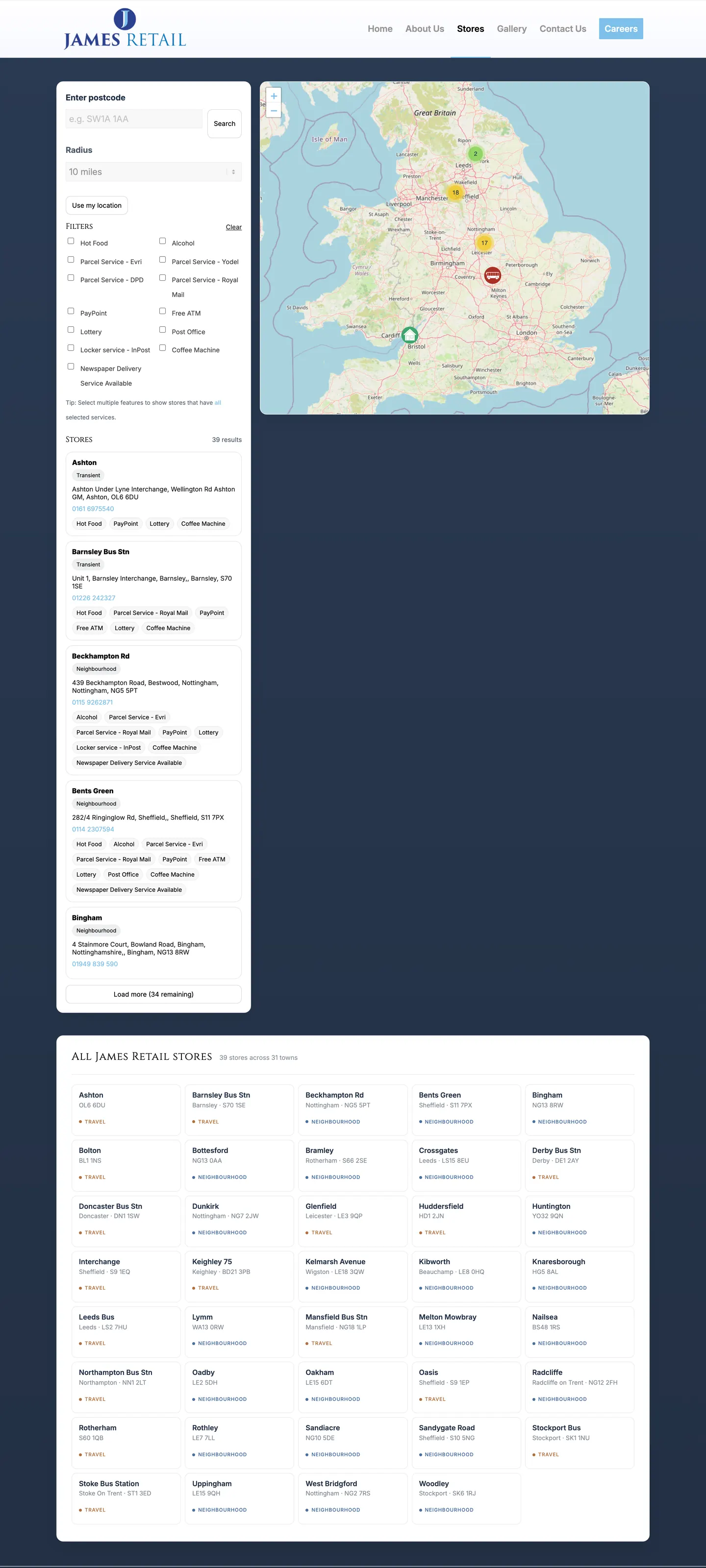

“An amazing job, including a bespoke interactive map. He went above and beyond.”
GB Social Housing
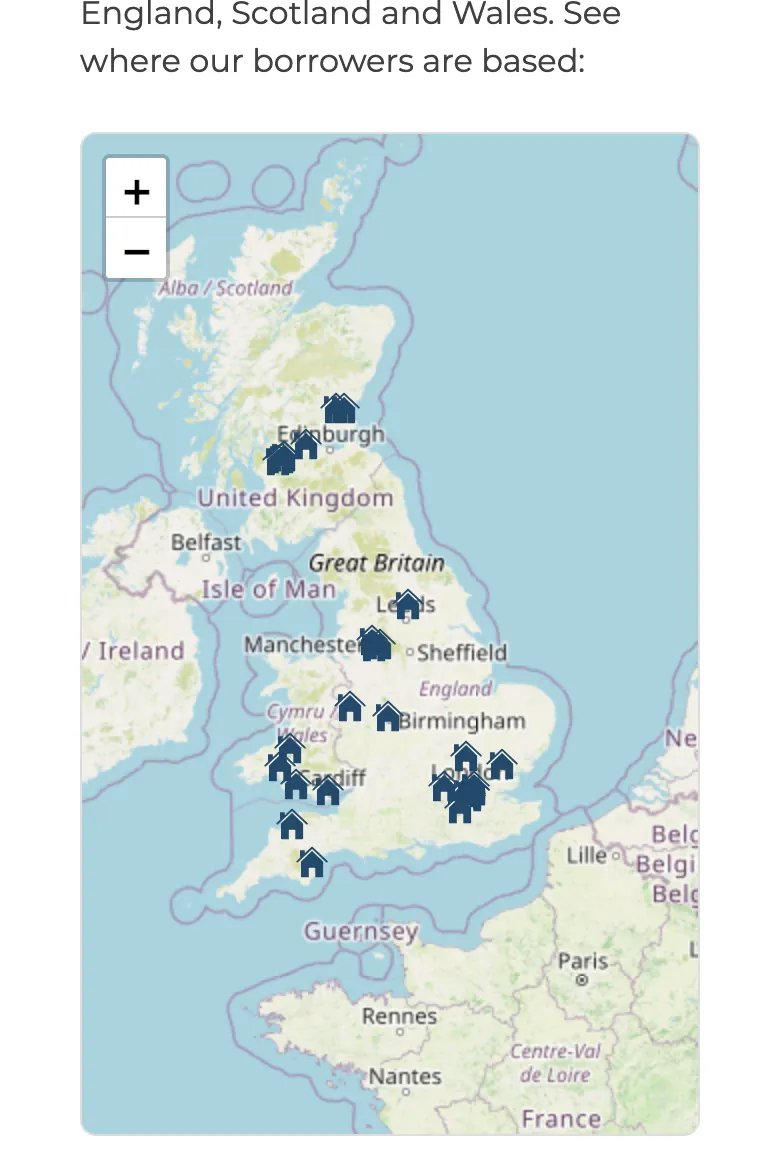
Borrowers mapA map of every housing association the lender works with, edited by the team from the WordPress admin with no developer needed.
Visit the map (opens in a new tab)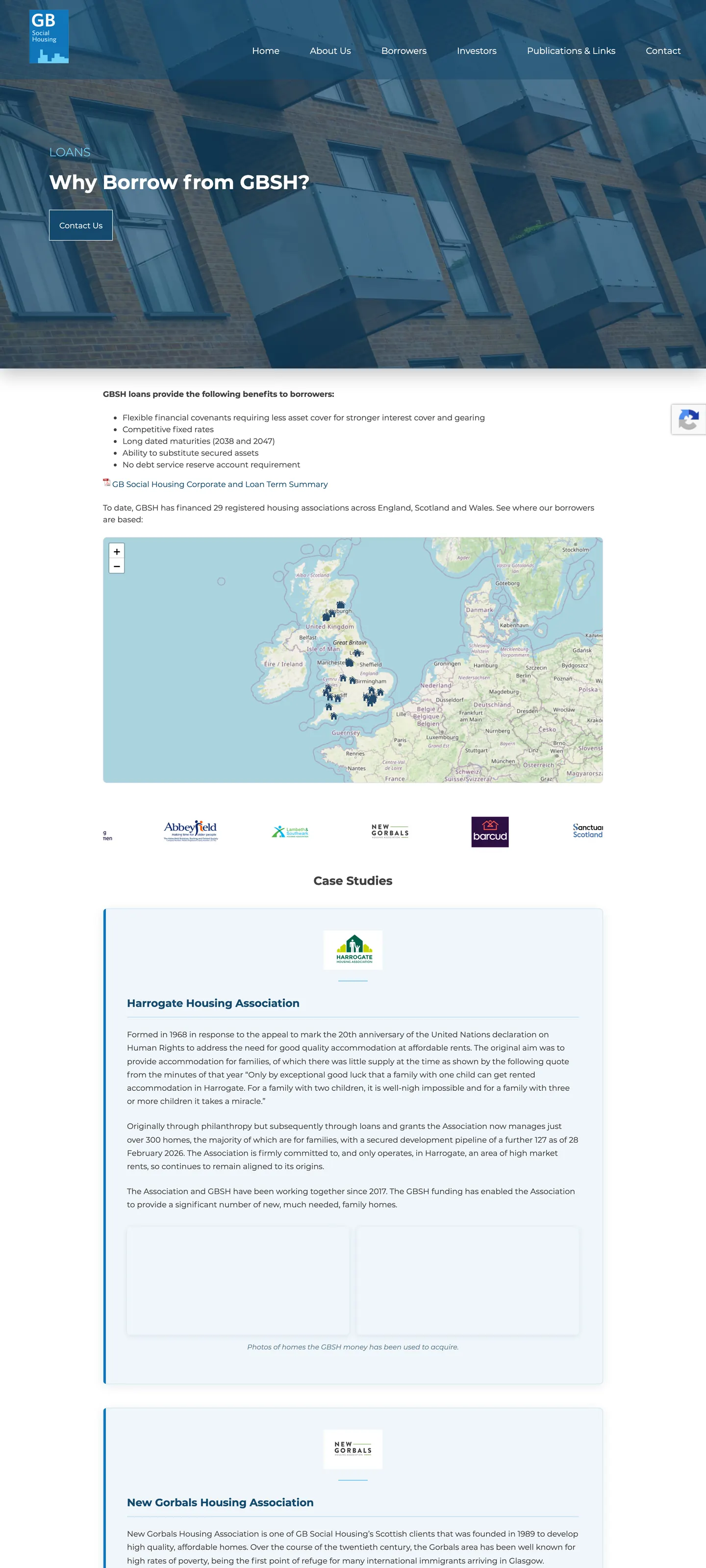

Need an app of its own rather than a feature for your website? See the apps, from GiftSnap to the Business Brew meeting app
Four steps from a one-page scope to a plugin that’s yours.
A single-purpose plugin, one map or one calculator, takes four to six weeks from start to finish. Bigger packages like the Betsy’s set are scoped and quoted as their own project.
A £49-a-month plugin is about £1,500 over two and a half years, for code you don’t own. The same money, paid once, buys something that fits.
Discover
A short call and a one-page scope: what the plugin does, what it does not, who on your team uses it and where it sits in the site. Then a fixed-price quote you sign off before any code is written.
Week 1
Design
The admin screens and the front end, mocked up in the browser or in Figma, and refined until they make sense to the people who will actually use them.
Week 2
Build
The plugin itself, built on a copy of your site so we can look at it together every week without touching the live one.
Weeks 3 to 5
Ship and document
Installed on your live site, with the README, the team guide and a short video walk-through handed over. Six months of bug-fix cover starts from here. Then it’s yours, properly.
Week 6
Questions worth asking.
The questions that start most first calls about bespoke plugins, including the awkward ones about updates, other developers and whether you need one at all.
Why not just use an off-the-shelf plugin?
Will it break when WordPress updates?
Could another developer look after it later?
Will it work with my page builder?
Could you extend a plugin I already have instead?
What if my needs change later?
Tell me what your site can’t do yet.
Thirty minutes on a call, or a few lines in the form. Describe the thing you wish your website did, and I’ll say whether it needs a bespoke plugin, an existing one, or neither, and what it would cost, in writing.