

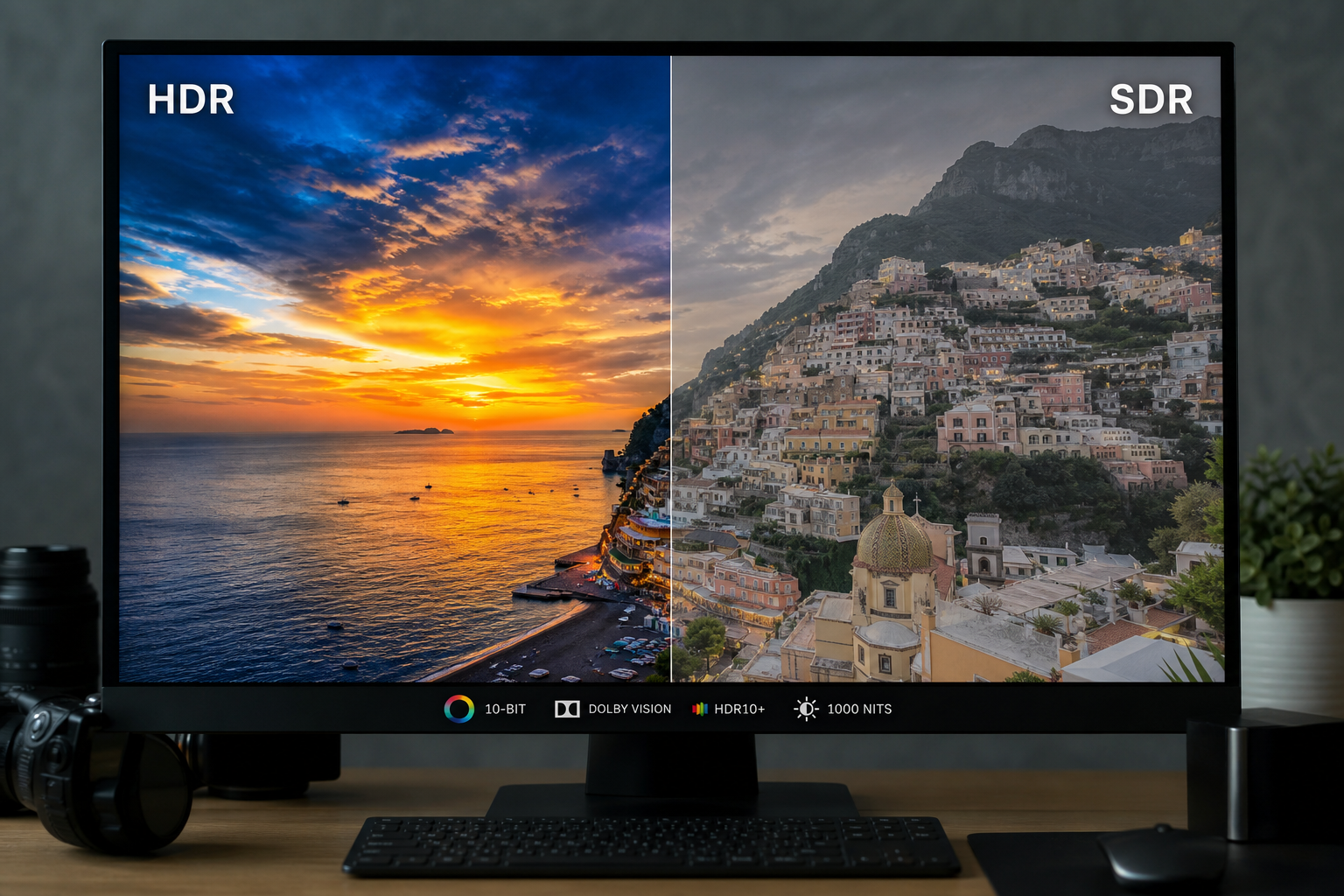
HDR imagery has quietly become the standard on the devices your clients and their visitors carry around every day. Brighter highlights, richer colour, a picture that looks closer to what your eye actually sees. If you build websites for a living, it’s worth getting to grips with now rather than later.
Here’s the catch. Take a lovely HDR shot straight off your phone, or export one from Lightroom, drop it into WordPress, and it will almost certainly look flat and disappointing. That isn’t your photography. It’s WordPress doing what WordPress does by default: resizing the image, re-encoding it, and quietly throwing away the HDR data that made it special in the first place.
This post covers the file types worth knowing about, how each one handles HDR, and the practical steps to stop WordPress flattening your images back to standard dynamic range.
Why the file type is the whole game
HDR isn’t just “a brighter JPEG”. It stores and displays visual information in a fundamentally different way, and that means the file format has to support three things:
- A high bit depth (10-bit and above)
- Wide colour gamuts, namely Display-P3 or Rec.2020
- Tone mapping or gain map support so the image still looks right on standard screens
Miss any one of those and the image gets clamped down to SDR. You lose the highlight detail and the depth of colour, which is the entire point of shooting HDR. So before you worry about plugins or hosting, you need the right format.
The formats, one by one
AVIF
If you want a single recommendation, this is it. AVIF is currently the most capable and forward-looking option for delivering HDR on the web, and it’s what I’d reach for on a WordPress build.
It supports 10-bit colour, works happily with both P3 and Rec.2020 wide gamuts, and compresses brilliantly. That last point matters more than people realise. Small files plus a decent CDN means strong Core Web Vitals and fast pages, which keeps both Google and your client happy.
The trade-off is the export side. Command line tools such as avifenc and libavif behave well once you feed them the right input, but mainstream software like Photoshop and GIMP often need plugins or a bit of fiddling before they’ll expose the colour space, bit depth and metadata options you need. Worth knowing if you’re handing a workflow to a less technical client.
JPEG
The old workhorse has quietly learned a new trick. Modern JPEG can carry HDR by storing a standard SDR image and bolting on an HDR enhancement layer in the metadata, known as a gain map.
The clever part is the fallback. On an HDR screen the image displays in full HDR; on an older SDR screen it falls back cleanly to the base image. No broken-looking pictures for anyone. That makes JPEG the most consistent choice across the messy real world of different devices and browsers, and the tone mapping tends to look smooth.
It isn’t perfect. It’s less efficient than AVIF, so you’ll carry more megabytes for the same quality. The export process is fiddlier than a bog-standard JPEG. And it tops out at the P3 colour space, so you can’t use the full Rec.2020 range. If guaranteed compatibility matters more than squeezing out every last drop of fidelity, though, JPEG is a genuinely strong pick.
PNG
On paper, PNG looks like the winner. The specification was updated to its third edition in June 2025 and now fully supports HDR, handling Rec.2020 at 32-bit colour, which is technically beyond what AVIF offers.
In practice it falls down hard. Storing HDR data and actually delivering it to a browser are two different problems. PNG is a single-layer format with no mechanism for an SDR base plus an HDR enhancement layer, so there’s no adaptive behaviour between HDR and SDR environments. The result is that even when a PNG contains HDR data, most browsers just render it as standard dynamic range because there’s no consistent pipeline to interpret it.
Then there’s file size. PNG’s lossless compression is wonderful for logos and flat vector-style artwork, but hopeless for photographs. HDR photos saved as PNG balloon to hundreds of megabytes, which will wreck your load times and Core Web Vitals. Avoid it for HDR photography.
WebP
WebP is a sensible, efficient format for everyday web images: lossless compression, transparency, animation, embedded ICC profiles, the lot. It’s popular across WordPress for good reason.
But it simply wasn’t built to lead an HDR workflow. There’s no HDR signalling, no gain map support, and no adaptive SDR/HDR rendering. It can embed an ICC profile, and if one isn’t present it just defaults to sRGB. Brilliant for standard imagery, wrong tool for HDR.
JPEG XL
This is the heartbreaker. Technically, JPEG XL might be the best image format anyone has built. It was designed as a universal successor to JPEG, PNG and WebP all at once, and it supports lossy and lossless compression, very high bit depth (up to 32-bit per channel), wide gamuts and proper HDR including PQ and HLG transfer functions.
For HDR specifically it’s superb. The high bit depth means banding effectively disappears and subtle gradients stay intact. It also has features made for the web, such as progressive decoding for better perceived load speed, and the ability to recompress existing JPEGs so you have a real upgrade path for an old image library.
So what’s the problem? Browser support. It remains patchy and inconsistent, which makes it very hard to recommend for a live client site when a chunk of visitors won’t see the intended result. Tooling is still maturing too, and within WordPress the support is minimal, with no native handling for responsive images or fallbacks. A wonderful format that the web hasn’t agreed to adopt. File it under “watch this space”.
HEIC
HEIC is what most modern smartphones, iPhones in particular, use to capture images. It’s the common implementation of the HEIF container, typically using the HEVC codec inside it.
It isn’t a simple single-layer image. It’s a flexible container that can hold multiple versions of an image plus a lot of metadata: colour information, depth maps and, in some cases, the extra data needed for HDR. Compression is significantly better than JPEG at comparable quality, and at the point of capture HEIC is genuinely excellent for HDR, because the phone controls the whole pipeline from sensor to screen.
That strength doesn’t survive the trip to the web. Outside Apple’s ecosystem, compatibility gets unreliable, and the HEVC codec carries licensing constraints that mean it isn’t universally supported across browsers. In reality HEIC images are almost always converted on upload or sharing, usually to JPEG, which strips the HDR data out. Great for capture, not something you deliver directly on WordPress.
How to stop WordPress flattening your HDR images
Upload an HDR image without changing WordPress’s defaults and it will be converted to SDR nearly every time. Here’s how to keep your originals intact.
Turn off automatic image resizing. Adding this filter to your theme’s functions.php stops WordPress generating the resized variants that are the main culprit for lost HDR data:
add_filter('intermediate_image_sizes_advanced', '__return_empty_array');Always insert at full size. When placing images in a post or page, choose “Full Size” rather than a generated variant. That ensures the browser receives your original HDR file.
Be careful with optimisation plugins. Plenty of popular plugins re-encode images, compress them, or convert everything to WebP. Useful for ordinary SDR work, but they’ll strip HDR data straight out. If you’re working in HDR, switch those conversions off in the plugin settings.
Let your hosting and CDN handle delivery. HDR files are larger and more demanding, so rather than leaning on WordPress to “optimise” them, export them properly optimised in the first place, serve the original assets, and use a CDN for fast global delivery. That way you keep the quality and still get quick page loads.
A reliable HDR workflow
Format choice matters, but so does the process around it. A dependable pipeline looks like this:
- Capture in HDR, often HEIC on a phone
- Convert to AVIF for your primary delivery format
- Use JPEG with gain maps where cross-device compatibility is critical
- Confirm the colour space is correct, Display-P3 or Rec.2020
- Upload without letting WordPress resize or re-encode
- Deliver through a CDN
Every stage has to preserve the HDR data. If any one step strips or alters it, the final image drops back to SDR and all the earlier effort is wasted.
The short version
For most WordPress projects:
- Use AVIF as your main format for the best balance of quality, performance and future compatibility
- Use JPEG with gain maps when consistent behaviour across every device is essential
- Disable WordPress’s default compression and resizing
- Disable re-encoding in your plugins
- Always insert images at full size
WordPress doesn’t support HDR properly out of the box, and without the right format and workflow your images will be reduced to SDR long before a visitor ever sees them. Get it right, though, and HDR genuinely transforms how a site looks: richer colour, deeper contrast and a far more immersive feel. A handful of careful steps, and the websites you build will look better than ever.


